Five Nights at Freddy's
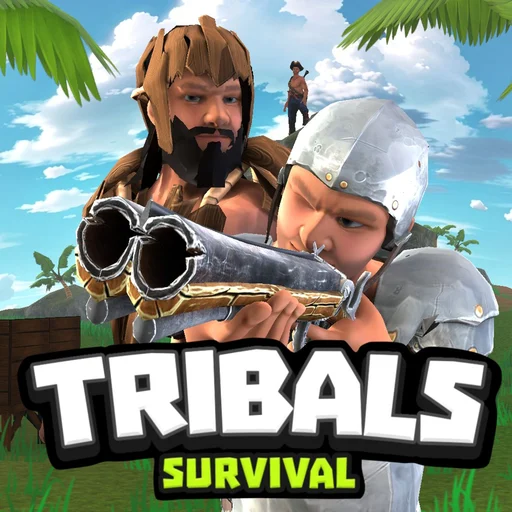
Tribals Io

Rise Of Pico
Minefun Io

Hide And Smash

Crossy Road

Heroball Adventures

Low's Adventure 2

Adam and Eve
Super Mario 3.0 World

Hide And Paint

Sprint League
Fantasy Sandbox Unblocked — Play Free Online
Action & ArcadePlay Fantasy Sandbox free in your browser. Build structures, mine subterranean resources, and explore open worlds solo or online with friends.
Fantasy Sandbox unblocked: play Fantasy Sandbox online free right here in your browser — no download, no sign-up, works on a school Chromebook.
Fantasy Sandbox is a side-scrolling sandbox adventure and crafting game that drops players into an open, procedurally generated world. You begin by personalizing your character with custom heads, outfits, and limbs before stepping into an untouched landscape ready for excavation and construction. Equipped with basic digging tools, you can break through soil, tunnel into rocky caverns, collect raw materials, and place blocks to create complex architectural projects.
For visitors spending time on FNAF, Fantasy Sandbox serves as a relaxed, creative change of pace from intense survival horror shifts. Instead of watching security monitors and conserving door power against animatronics, you can set your own objectives at whatever rhythm you prefer. Whether you want to excavate deep mine shafts in search of rare ores or construct tall multi-tier fortresses above ground, the world gives you complete freedom to experiment.
The experience is designed for both solo explorers and collaborative groups. You can enter an offline single-player session to build peacefully or spin up a multiplayer room to construct grand projects alongside other online players.
How to play
Navigating and building in Fantasy Sandbox relies on straightforward keyboard and mouse controls:
- Movement: Press W, A, S, D or the Arrow keys to walk, climb, and jump across platforms and uneven terrain.
- Mine and Place: Use the Left Mouse Button to dig through ground blocks, chop down trees, or place chosen materials from your active hotbar into the environment.
- Layer Switch: Press X to toggle between foreground and background building planes, enabling you to build interior backdrop walls or mine behind foreground blocks.
- Backpack and Inventory: Press I or select the backpack icon on screen to open your inventory and inspect collected building materials.
- Chat: Open the in-game chat panel to communicate with fellow builders when playing inside multiplayer servers.
Building and exploration tips
Getting the most out of your sandbox sessions is easier when you plan ahead:
- Layer your shelters: Switch to the background layer with X when constructing buildings so your walls enclose the room without blocking character movement in the foreground.
- Carve stepped escape routes: When tunneling straight down, leave ledges or place ladders along the shaft walls so you can climb back to the surface quickly without getting trapped.
- Manage host permissions: If you host a private server for friends, check the world settings menu to toggle whether visiting guests can modify the map or only explore your creations.
- Organize your hotbar: Keep your pickaxe, primary weapon, and structural blocks in quick-access slots to swap rapidly between digging and defending against hazards.
Similar games on FNAF
If you enjoy creative crafting, physics experimentation, or multiplayer sessions, check out other popular titles on FNAF:
- Minefun Io: A multiplayer block-building arena that combines open crafting mechanics with competitive survival combat in full 3D.
- Tribals Io: A cooperative island survival game where you gather raw resources, craft tools, and defend bases alongside tribe members.
- Hide And Smash: A fast-paced multiplayer hide-and-seek game where players disguise themselves as inanimate props to evade seekers.
Questions about Fantasy Sandbox
Is Fantasy Sandbox unblocked at school?
Fantasy Sandbox runs in an ordinary browser tab from fnaf.co, with nothing to download or install, so it plays on most school Chromebooks and work computers. If a network filter blocks the site, only that network's administrator can change it.
Can I play Fantasy Sandbox with friends?
Yes, Fantasy Sandbox features built-in online multiplayer. You can join public rooms from the server list or create a private room and share your server ID with friends.
How do I switch between background and foreground layers?
Press the X key on your keyboard to switch between the foreground and background building layers when placing or mining blocks.
Does Fantasy Sandbox require any installation?
No installation or account setup is required. The game runs directly inside standard modern desktop and mobile web browsers.
How do I access my backpack and inventory?
Press the I key on your keyboard or click the backpack icon on screen to view your inventory, manage materials, and organize crafted items.